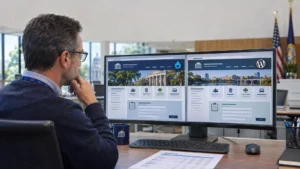
It is Monday at 8 a.m. The utility office voicemail is already full. The permit desk is re-typing paper applications. Three residents are in line to ask about requests they submitted last week. Your team is busy all day, yet the backlog keeps growing.
A government resident portal change that pattern. It gives residents one secure place to request, pay, apply and track, and it gives your staff one connected system to do the work. For cities, counties and special districts, that means fewer calls, faster payments, quicker approvals and better data, without adding headcounts. Here are the five ways it helps, and what to look for when you choose one.
A government resident portal helps local government by cutting calls and walk-ins, collecting payments faster, speeding up permits, licenses and records, building security and ADA accessibility, and giving leaders real service data. The result is better service for residents with the same size team.
The Pressure on Local Government Teams
Cities, counties and special districts are asked to serve more residents, around the clock, with flat budgets and aging workforces. Requests arrive by phone, email, and counter visits, then move through disconnected systems. That slows service, frustrates residents and drains staff time that could go to higher-value work.
The challenge: Residents now expect to handle government business online, at any hour, the way they bank or shop. Most agencies still run each service on its own system, with its own login and its own manual steps.
Why it happens: Online tools were added to one department at a time. Billing, permits, records and service requests rarely share data, so staff re-key information and answer status calls by hand.
Who it affects: Frontline staff carry the heaviest load. IT teams maintain too many tools. Leaders lack a clear view of demand. The workforce outlook adds pressure: in a 2026 Mission Square Research Institute survey of 606 state and local HR managers, 44% said their largest retirement wave is still ahead.
1. Fewer Calls, Emails and Walk-Ins
A resident portal confirms every request, routes it to the right team, and sends updates until it is resolved. Residents no longer need to call for status, so phone queues, inbox backlogs and counter lines shrink. Staff get time back for the work that actually fixes problems.
The challenge: Many calls to a city hall or county office are not new requests. Are they “any updates?” Calls about requests already submitted.
How the portal helps: As a citizen engagement platform, the portal turns each report into a tracked 311 case with a number, a map location and a live status. Smart routing sends it to the right department. Automatic email and text updates tell residents when work starts and when it is done.
Result: Fewer repeat contacts, shorter lines and more trust. Residents see their government follow through, and your team spends its day solving issues instead of reporting them.
2. Faster Payments and More Predictable Revenue
When residents can pay bills and fees online at any hour, money arrives sooner and with fewer errors. A resident portal links each payment to the resident’s account and history, which cuts counter traffic, mailed checks and manual reconciliation for finance and utility teams.
The challenge: Mailed checks, counter payments and separate vendor sites slow collections and create reconciliation work.
How the portal helps: Resident portal software puts utility billing, permit fees and reservation payments in the same account residents use for everything else. They can view balances, pay online, and see their payment history in one place.
The result: Faster collections, fewer counter visits, and cleaner records for finance staff. For Municipal Utility Districts and smaller cities, moving payments online is often the quickest win.
3. Faster Permits, Licenses and Records with Less Paperwork
A resident portal moves applications, uploads, reviews and approvals into one digital workflow. Permits, inspections, licenses, public records requests and facility bookings move faster because staff work from one queue instead of paper files, email threads and re-keyed forms, and residents can check progress online.
The challenge: Paper applications and email requests mean re-typing, missing documents and long phone chains to schedule inspections or confirm deadlines.
How the portal helps: A government self-service portal lets residents and businesses apply for permits and licenses, upload documents, schedule inspections, submit public records requests and book facilities online. Counties and special districts can use the same approach for business licenses, park reservations, and vendor registration.
The results: shorter turnaround times, fewer incomplete applications, and a clear audit trail for every decision.
See it in action: Request a Free Demo to watch requests, payments and permits run from one resident account.
4. Security and ADA Compliance Built into One Platform
One platform means one set of security controls and one accessibility standard to manage. A resident portal with role-based access, multi-factor authentication and full audit logs reduces risk, while WCAG 2.1 AA conformance helps agencies meet the ADA Title II web rule deadlines in 2027 and 2028.
The challenge: Every separate tool is another login, another security review, and another accessibility gap to fix.
How the portal helps: A purpose-built portal sets controls at the platform level: role-based access for staff, optional multi-factor authentication and audit logs of every transaction. Login and identity practices can follow NIST SP 800-63-4. App Maisters Government is also ISO 27001 certified for information security management.
The result: Less risk and easier audits, plus a clear path to accessibility compliance. Under the DOJ ADA Title II rule, state and local government websites and mobile apps must meet WCAG 2.1 Level AA. After the April 2026 extension, the deadline is April 26, 2027, for governments with a population of 50,000 or more, and April 26, 2028, for smaller governments and special districts. An ADA compliant resident portal helps you meet it.
5. Better Decisions and More Capacity from Data and AI
Every request, payment and application in a government resident portal becomes data leaders can use. Dashboards show demand, response times and bottlenecks, while AI features route requests and answer routine questions. Agencies can plan budgets with evidence and serve more residents with the same team.
The challenge: Without one system, leaders piece together reports by hand and cannot easily see where service slows down.
How the portal helps: The portal records every interaction in one place. Dashboards track volume, time to close and backlogs by department. Smart routing assigns requests automatically, and an AI chatbot for government answers common questions around the clock. Because processes live in the system, knowledge stays with the agency as experienced staff retire.
The result: Evidence for budget and staffing decisions, and more capacity from the same team. Johnson County, Kansas I worked with App Maisters Government on a web and mobile service platform for more than 600,000 residents (about half the population of Hawaii), with real-time request tracking, GIS location services, online payments, and analytics.
Before and After a Resident Portal
The biggest changes show up in daily work. Requests, payments, permits and records move from phone calls, paper and separate systems to one tracked, online process. Residents get answers without calling, and staff spend less time on data entry, follow-up, and manual reporting.
| Area | Before | With a resident portal |
|---|---|---|
| Service requests | Calls, emails and paper forms | Tracked online case with status updates |
| Payments | Mailed checks, counter visits, separate vendor sites | Online payments tied to the resident account |
| Permits and licenses | PDFs, re-keyed data, phone follow-ups | Online application, uploads and routed review |
| Public records | Email requests tracked in spreadsheets | Logged requests with deadlines and status |
| Resident updates | Call-backs and website posts | Automatic email and text notifications |
| Security | Different controls in every tool | Role-based access, MFA and audit logs in one place |
| Reporting | Manual counts from many systems | Dashboards on volume and response times |
How Each Leader Benefits
A government resident portal solves a different problem for each leader. Managers get better service on flat budgets, IT get fewer systems, security teams get one set of controls, communications teams get a direct channel, and department heads get faster, cleaner workflows.
| Role | Main concern | How a resident portal helps |
|---|---|---|
| City Manager, County Administrator, District General Manager | Better service on a flat budget | Fewer calls and visits, faster turnaround, data for board and council reports |
| CIO, CTO, IT Director | Too many disconnected systems | One platform, integrations with existing systems and fewer vendors to manage |
| CISO | Risk spread across many tools | Role-based access, MFA, audit logs and one security review |
| Digital Services or Innovation Director | Moving services online quickly | Modules that launch in phases, starting with high-volume services |
| Communications Director, PIO | Reaching residents with accurate updates | Notifications to the residents who use each service |
| Finance and department heads | Slow collections and paper backlogs | Online payments and digital workflows in one queue |
How to Get Results Fast: A 5-Step Rollout
The fastest results come from a phased rollout. Start with the services that create the most calls and payments, connect them to your current systems, prove the value,, and then expand. This keeps IT, finance, department heads, and communications aligned from kickoff to launch.
- Find your biggest pain points. List the 10 to 15 services that drive the most calls, visits and payments.
- Map your systems. Note which billing, permitting, GIS and records systems the portal must connect to.
- Launch the first phase. Start with two or three high-volume services, such as service requests and utility payments.
- Test with residents and staff. Check accessibility against WCAG 2.1 AA and pilot with a small group.
- Measure and expand. Track call volume, payment speed, and turnaround times, then add permits, records and reservations.
Checklist: Resident Portal Software That Delivers
Use this checklist to confirm that resident portal software can deliver the benefits above. It covers what CIOs, CISOs and managers most often need to verify before a pilot or RFP, from integrations and security to accessibility, dashboards, AI, and flexible pricing.
- ☐ One resident account across all departments
- ☐ Service requests, utility billing, permits, public records and reservations in one platform
- ☐ Integrations with your current billing, GIS and records systems
- ☐ Role-based access, multi-factor authentication and full audit logs
- ☐ WCAG 2.1 AA conformance on resident and staff screens
- ☐ Web and mobile access for residents
- ☐ Automated routing, notifications and status tracking
- ☐ Dashboards for request volume and response times
- ☐ AI help for routine resident questions
- ☐ Modular pricing so you can start small and add services
Better Service Without a Bigger Team
A government resident portal helps cities, counties and special districts do more with the staff they already have. Fewer calls, faster payments, quicker approvals, built-in security and better data add up to better service for residents and a lighter load for employees.
The five benefits work together. Trackable requests cut calls. Online payments speed revenue. Digital workflows shorten approvals. Built-in controls reduce risk and support ADA compliance. Service data and AI help leaders plan with confidence.
App Maisters Government built Resident Portal for cities, counties, Municipal Utility Districts and special districts. It brings service requests, utility billing, permits and inspections, public records, reservations and agenda and meeting management into one AI-powered platform, with modules you can add as you grow.
Ready to serve more residents with the team you have? Request a Free Demo and we will show you the services your residents ask for most.
Frequently Asked Questions
What are the benefits of a government resident portal?
A government resident portal helps cities, counties and special districts cut phone calls and walk-ins, collect payments faster, speed up permits, licenses and records, and manage security and accessibility in one place. Residents get one account to request, pay, apply, and track at any hour. Leaders get dashboards on demand and response times, so they can serve more residents with the same staff.
How does a resident portal reduce calls and walk-ins?
Many calls are residents asking for updates on requests they already made. A resident portal confirms each request, gives it a tracking number and sends automatic email or text updates as work moves forward. Residents can also pay, apply, and book online at any time. With answers available without calling, phone queues and counter lines shrink, and staff can focus on resolving issues.
Can a resident portal help us collect payments faster?
Yes. When residents can pay utility bills, permit fees and reservation charges online at any hour, payments arrive sooner and with fewer errors than mailed checks or counter visits. A resident portal ties each payment to the resident account and history, which also reduces manual reconciliation for finance teams. Many agencies start their rollout with online payments because the benefits show up quickly.
How does a resident portal help city and county IT teams?
Most IT teams support separate tools for billing, permits, records and service requests, each with its own login, vendor, and security review. A resident portal brings those services onto one platform that connects to the systems you keep, such as billing, GIS, and records of software. The result is fewer vendors to manage, one set of security controls, and one accessibility standard to maintain.
Does a resident portal help with ADA Title II compliance?
It can. The DOJ ADA Title II rule requires state and local government websites and mobile apps to meet WCAG 2.1 Level AA. Governments with a population of 50,000 or more must comply by April 26, 2027, and smaller governments and special districts by April 26, 2028. A portal built for WCAG 2.1 AA puts many resident services on one accessible platform.
Can a small city or special district benefit from a resident portal?
Yes, often the most. Small cities, Municipal Utility Districts and special districts usually have the fewest staff, so every phone call and paper form takes up a bigger share of the day. A modular resident portal lets them start with one or two services, such as utility billing and service requests, show results quickly, and add permits, records or reservations later.
How do we measure the return on a resident portal?
Set a baseline before launching, then track the same measures after. Useful metrics include call and walk-in volume, share of payments made online, days to collect, permit and records turnaround times, requests closed per staff member and resident satisfaction scores. Dashboards in the portal make these numbers easy to report to councils, boards, and budget committees.