
It is 8:15 a.m. Parents are calling about dismissal times. Enrollment questions are filling the inbox. A staff member is explaining how to reset a parent portal password for the fourth time this morning.
Every question deserves an answer. But answering the same questions repeatedly takes time away from students, families with complex concerns, and essential school operations.
A school AI chatbot can reduce repetitive parent calls and emails by answering routine questions around the clock, directing families to the correct forms, and transferring unresolved issues to the right staff member. Its effectiveness depends on accurate school information, clear boundaries, and a straightforward path to human help.
For school leaders, the practical question is: which inquiries can be resolved automatically, and how much staff time will that actually recover?
Why Parents Keep Calling When Information Is Already Online
Repeated inquiries often reveal a problem with finding or understanding information.
A registration deadline might appear in a PDF. Transportation instructions may sit on another website. An old calendar may still appear in search results. Parents using a phone between work shifts may struggle to navigate all three.
When finding an answer takes longer than making a call, calling becomes the reasonable choice.
School staffing pressures make these interruptions harder to absorb. In October 2024, 50% of U.S. public school leaders reported that their school felt understaffed, according to the National Center for Education Statistics. This measures overall staffing pressure, rather than front-office workload specifically, but illustrates the resource constraints schools face.
A well-designed school chatbot gives parents a simpler way to ask a question and reach the information they need.
The Real Cost of Repetitive Parent Queries
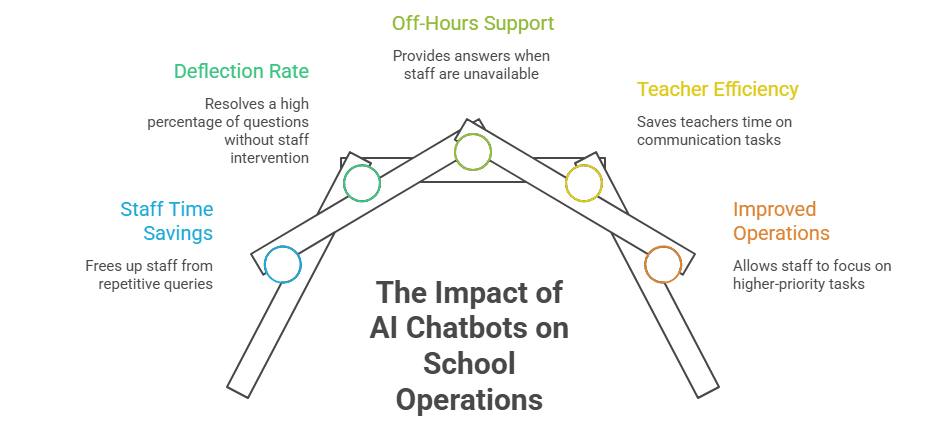
It’s tempting to write this off as “just part of the job,” but the numbers tell a different story:
- Staff time drain: School staff spend a significant portion of their day answering the same repetitive queries, time that could otherwise go toward academic and administrative priorities, attendance follow-ups, IEP coordination, and discipline cases.
- Deflection at scale: Schools running a well-implemented AI chatbot typically see 50–70% of routine questions resolved without any staff reply at all, freeing the front office to focus on the calls that actually carry weight.
- Off-hours is where the pressure is highest: Overnight and weekend questions are where deflection rates run highest, meaning the chatbot is doing the most work exactly when your team isn’t there to do it.
- Teacher time reclaimed: A 2025 Gallup–Walton Family Foundation survey found that teachers who use AI tools weekly save an average of 5.9 hours a week, much of it in communication-related tasks like drafting parent updates.
That’s not a marginal efficiency gain. That’s the difference between a front office that’s constantly firefighting and one that has room to breathe.
Which Parent Questions Should a School AI Chatbot Handle?
Start with frequent, predictable questions whose answers are already approved for public use.
| Parent inquiry | Useful chatbot response | When staff should take over |
|---|---|---|
| “What documents do I need for enrollment?” | Provide the current checklist and application link | Residency exceptions or disputed eligibility |
| “What time is dismissal on Friday?” | Retrieve the correct school’s current schedule | Conflicting or unavailable calendar information |
| “How do I report an absence?” | Explain the procedure and link to the approved reporting channel | Attendance disputes or sensitive circumstances |
| “Where can I find bus information?” | Direct parents to the official transportation resource | Missing students, safety concerns, or unresolved route issues |
| “How do I access the parent portal?” | Offer approved troubleshooting and recovery steps | Identity verification or continuing account problems |
| “Where is the lunch menu?” | Link to the current menu and meal application information | Individual medical or dietary concerns |
The strongest starting point is a narrow set of reliable answers. Expanding coverage before validating accuracy can create additional calls from parents trying to correct confusing information.
Five Ways a School AI Chatbot Reduces Repetitive Communication
1. Answer Questions Before They Become Tomorrow’s Emails
Parents often handle school administration after office hours. A question about registration at 9 p.m. can become an email, a voicemail, and a morning call if nobody responds.
An always-available chatbot can resolve that first question immediately.
For example, a parent asking about kindergarten registration could receive the relevant school-year deadline, required documents, and application link in one response.
After-hours support is already being implemented in districts. In August 2025, Savannah-Chatham County Public School System announced a communication platform featuring a generative AI chatbot for 24/7 FAQs and translation tools supporting dialogues in 13 languages. The announcement demonstrates adoption; it does not establish a measured percentage reduction in calls.
2. Give a Complete Answer With a Clear Next Step
An answer that says “visit the enrollment page” may leave the parent with the same problem.
A useful response should explain what to do next, provide the correct link, and identify any conditions that change the answer.
For enrollment, that might mean asking whether the child is a new or returning student before presenting instructions. For dismissal, it means identifying the school and date.
The goal is to resolve the task that prompted the question. A chatbot that only produces additional links may shift the work back to parents without reducing office workload.
3. Support Families Across Languages
Parents should be able to ask routine questions in familiar language without waiting for someone to translate a basic instruction.
When multilingual support is available, districts should test their most common questions with fluent reviewers. Dates, document requirements, school names, and program terminology need particular attention.
A translated answer that changes the meaning of an enrollment requirement can create more work than it saves. Sensitive conversations should retain access to qualified language assistance and school staff.
4. Transfer Complex Questions Without Making Parents Start Over
Some conversations need judgment, empathy, or access to protected information.
A parent disputing an attendance record should reach the attendance team. A concern about an individualized education program should reach the appropriate specialist.
A useful handoff includes:
- The parent’s question and relevant conversation history.
- The correct school or department.
- Only the contact details needed to respond.
- A realistic response timeframe.
If no staff member is available, the chatbot should explain what happens next. A visible human-support option helps prevent parents from sending the same concern to several inboxes.
5. Reveal Why the Same Questions Keep Returning
Chatbot conversations can expose gaps in school communication.
Repeated questions about early dismissal may indicate that the calendar is hard to find. Frequent confusion about proof of residency may mean the enrollment checklist needs clearer wording.
Review unanswered and repeated questions weekly. Update the underlying page, form, or announcement as well as the chatbot’s knowledge source.
This creates a second benefit: better school information can prevent future inquiries across every channel.
What Matters in School Chatbot Technology in 2026?
For districts evaluating current platforms, three capabilities deserve close attention.
Answers grounded in approved sources: Retrieval-augmented generation, or RAG, allows an AI system to consult an external knowledge base before generating a response. For a school, that can mean approved calendars, policies, and enrollment instructions. AWS describes this approach as a way to improve relevance and accuracy using authoritative information beyond the model’s training data. It does not eliminate the need for testing and oversight.
Connected workflows: Ask whether the system can create an approved support ticket, route a request, or issue a confirmation through configured integrations. These capabilities can reduce administrative steps, but actions involving accounts or records need appropriate verification and permissions.
Consistent answers across channels: If web chat, email, SMS, or voice support are included, confirm that they use the same maintained information. Otherwise, adding channels can multiply conflicting answers.
Evaluate these capabilities through realistic demonstrations. Ask the vendor what happens when a document is outdated, two schools have different schedules, or the system cannot find a reliable answer.
How Much Staff Time Could a Chatbot Save?
Build the business case from your district’s baseline rather than a generic automation percentage.
Consider this illustrative scenario, not a reported customer result:
| Monthly workload assumption | Amount |
|---|---|
| Routine parent calls and emails | 1,000 |
| Share genuinely avoided through chatbot resolution | 40% |
| Average staff handling time per inquiry | 5 minutes |
| Gross staff time recovered. | Approximately 33 hours |
| Chatbot review and maintenance | 6 hours |
| Estimated net capacity recovered. | Approximately 27 hours |
The calculation is:
Net hours recovered = (avoided inquiries × average handling minutes ÷ 60) − maintenance hours
Recovered capacity is not automatically a payroll saving. It may instead allow staff to respond faster to difficult cases or spend more time supporting students.
Also, 400 chatbot conversations do not necessarily equal 400 avoided calls. Some parents would not have contacted the office, while others may still call afterward.
Track:
- Routine calls and emails by topic before and after launch.
- Whether parents report that their question was resolved.
- Repeat contact about the same issue.
- Answer accuracy from staff-reviewed samples.
- Time spent maintaining content and correcting responses.
Compare similar school-calendar periods. Enrollment season and a quiet month are not meaningful like-for-like benchmarks.
A Practical Pilot Plan for School Districts
Begin with one school or a few high-volume topics.
Establish the baseline: Review recent calls and emails, group recurring questions, and estimate handling time. Avoid importing unnecessary personal information.
Prepare the answers: Select approximately 30–50 common questions. Assign an owner to each information source and remove outdated or conflicting documents.
Test realistic situations: Include misspellings, vague questions, multiple schools, different languages, expired deadlines, and requests the chatbot should decline or escalate.
Launch where questions arise: Place access on enrollment, calendar, transportation, and family-support pages. Explain what it can answer and how to reach staff.
Review before expanding: Check accuracy, unresolved questions, parent feedback, and actual changes in office workload. Expand only when the initial service is dependable.
Protect Parent Trust While Automating Support
Parents should know they are interacting with AI and understand its limits.
Keep public information separate from student-specific records. A chatbot can explain how to access a report card without displaying grades in an unauthenticated conversation.
Before connecting protected data, review access controls, vendor terms, retention practices, and applicable privacy requirements with district specialists. The U.S. Department of Education provides guidance on evaluating privacy and security when using online educational services; a vendor’s compliance claim should not replace that review.
Retain phone and email access, test keyboard and screen-reader usability, and make escalation easy. Urgent safety concerns need clear, district-approved instructions for immediate assistance.
Give Families Faster Answers With App Maisters Government
Reducing repetitive calls starts with making reliable school information easier to access.
App Maisters Government offers SchoolAssist™, its AI chatbot for K–12 school districts. Published capabilities include answers grounded in district documents, school-specific configurations, live staff handoffs, ticket workflows, and analytics.
Request a demonstration using your district’s most frequent parent questions. Evaluate how SchoolAssist™ finds the correct answer, handles uncertainty, and connects families with staff, then use a focused pilot to measure the time your team can recover.
Frequently Asked Questions
Can a school AI chatbot replace front-office staff?
It can handle selected routine inquiries and help route requests. Staff remains essential for sensitive concerns, exceptions, relationship-building, and decisions requiring professional judgment.
Does a chatbot need access to student records?
No. A public-information pilot can answer questions about calendars, enrollment procedures, menus, and policies without connecting to individual student records.
How can schools keep chatbot answers current?
Assign content owners, establish update schedules, remove expired information, and test answers whenever policies or dates change. Displaying source links helps parents and staff verify responses.
What is the best measure of success?
A reduction in repetitive staff-handled inquiries alongside accurate answers and satisfactory parent experiences. Conversation volume alone does not demonstrate that workload has decreased.
How is a school AI chatbot different from a traditional FAQ page?
An FAQ page requires parents to locate the right question themselves. A school AI chatbot lets them ask in their own words, clarify their needs, and receive relevant instructions or links. When configured for staff handoffs, it can also route unresolved questions to the appropriate team.
Can a school AI chatbot provide accurate answers for different schools in one district?
Yes, when configured with school-specific information. The chatbot should confirm which school the parent means and retrieve the relevant calendar, policies, or contact details. Districts should maintain clear ownership of each information source to prevent outdated or conflicting answers.